How are you tracking managed care?
Tracking and reporting at your fingertips!
As more patients are fit with hearing aids obtained through a managed care benefit, Blueprint OMS provides a streamlined way of tracking these patients along with their associated fitting fees and contracted service expiration dates (without affecting your ASP!).
In this article:
- Initial setup
- Processing managed care patients and sales
- Tracking plan expiration dates
- Reporting
Initial setup
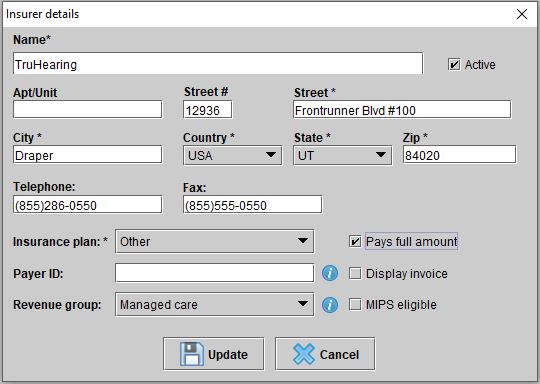
Add your contracted managed care companies as Insurers under Setup > Insurers. Ensure they are classified with the Revenue group “Managed Care” and the Pays full amount checkbox is checked.
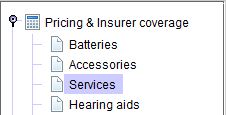
Add your managed care fitting fee service(s) under Setup > Pricing & Insurer coverage > Services.
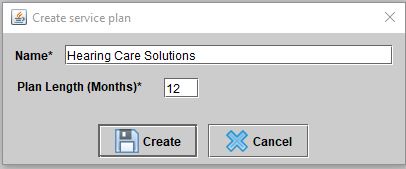
For your managed care plans allowing routine service for a specified duration of time, create service plans under Setup > Service plans.
—
Processing managed care patients and sales
Add the managed care company to the patient’s Insurers screen.

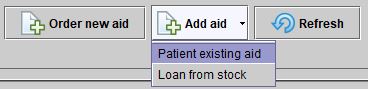
Add the hearing aids to the patient’s file under Hearing aids > Add aid > Patient existing aid.
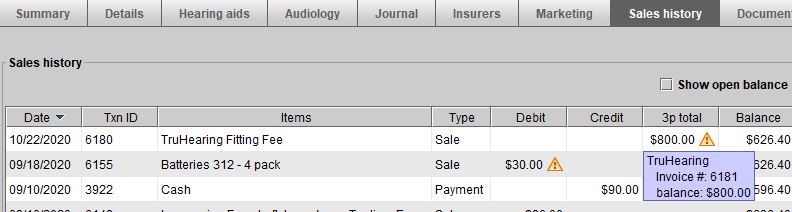
Sell your managed care fitting fee(s) using the green Sale button in the main toolbar, on the left-hand side of the screen.
—
Tracking plan expiration dates
Depending on whether your managed care plans contract for a duration of time or a specified number of visits, use one of the options below.
Duration of time
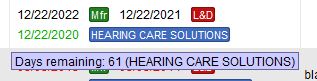
Right-click on a hearing aid in the patient’s file > Edit details to apply a Service plan for easy plan duration tracking.
-OR-
Specified number of visits
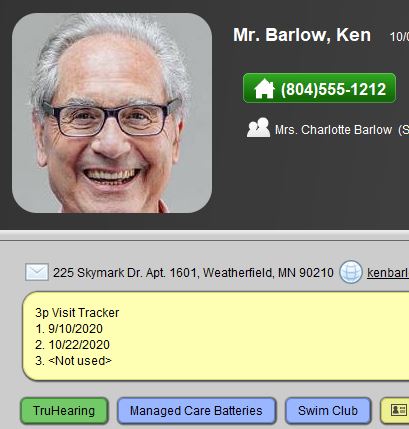
Patient drop-down menu > Edit note > Key in the number of appointments allowed for easy tracking of plan visits used. The note appears in multiple places for this particular patient including: the patient browser, the summary screen, the patient arrival notification, and as a text bubble when selecting the patient for an appointment.
—
Reporting
Use any of the following reports (Tools > Reports) for in-depth insight into outstanding third party/managed care balances, number of managed care fitting services provided, managed care vs. private pay revenue, service plan expiration dates, and much more.
- Revenue Group Report
- A/R Aging Detail (Insurer)
- Insurer Transactions
- Sales by Income Account
Additionally, you can easily search for managed care plans expiring using a marketing campaign to target a service plan expiration date range.

Don’t forget! You can now send a customized mass email directly out of Blueprint OMS to these patients — notify them of their plan expiration and options for continued care.
—
Please reach out to us if you have any questions or would like remote assistance with managed care tracking options.
Contact our training team (training@blueprintsolutions.us) for more information on seeing the effectiveness of your managed care referrals, battery count tracking, and block scheduling options.
Thank you.
Related Articles

A Thanksgiving gift from Blueprint OMS 🦃🍂

Happy Thanksgiving from the Blueprint Solutions team! As the holiday season approaches, we want to thank you for...
Read MoreOctober Audiology Awareness Month 👂🍂 – New email template!

Happy October Audiology Awareness Month from the Blueprint Solutions team! 👂🍂 As a way to say thank you...
Read More
No comments