New Features and Enhancements in v4.8.1
In this article:
New Features:
1. Customizable Repair Reasons Now Available
2. Enhanced User Security with Configurable Re-Authentication
3. Option to Redact Protected Health Information for iCal Export on Provider’s Calendars
Enhancements:
4. Custom Event Title Descriptions for Appointments
5. Customizable Email Body for Sending Online Forms
6. Expanded Color Customization for Calendars
7. New UI Theme Options and Improved MacOS Compatibility
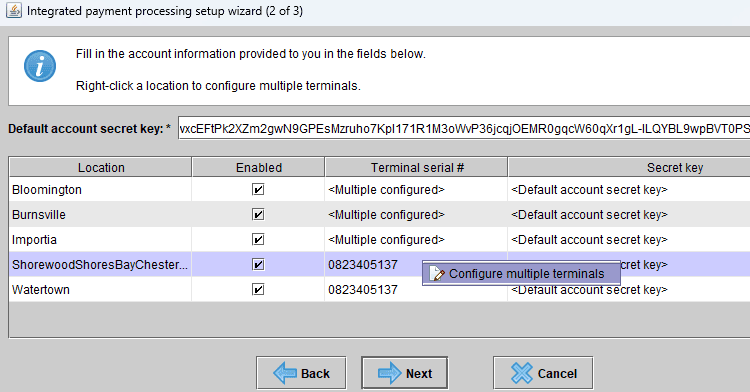
8. More than 1 tap-to-pay terminal allowed per location (US customers only)
Other Quality Improvements and Minor Fixes:
-
Fixed receiving bulk payment card swipe prompt in Claims Tracking panel
-
Corrected copy and paste behavior and other UI improvements on Macs
-
Improved appointment notes displays contact and alternate contact details
-
Improved inactive product handling within bundles
Features Enhancements:
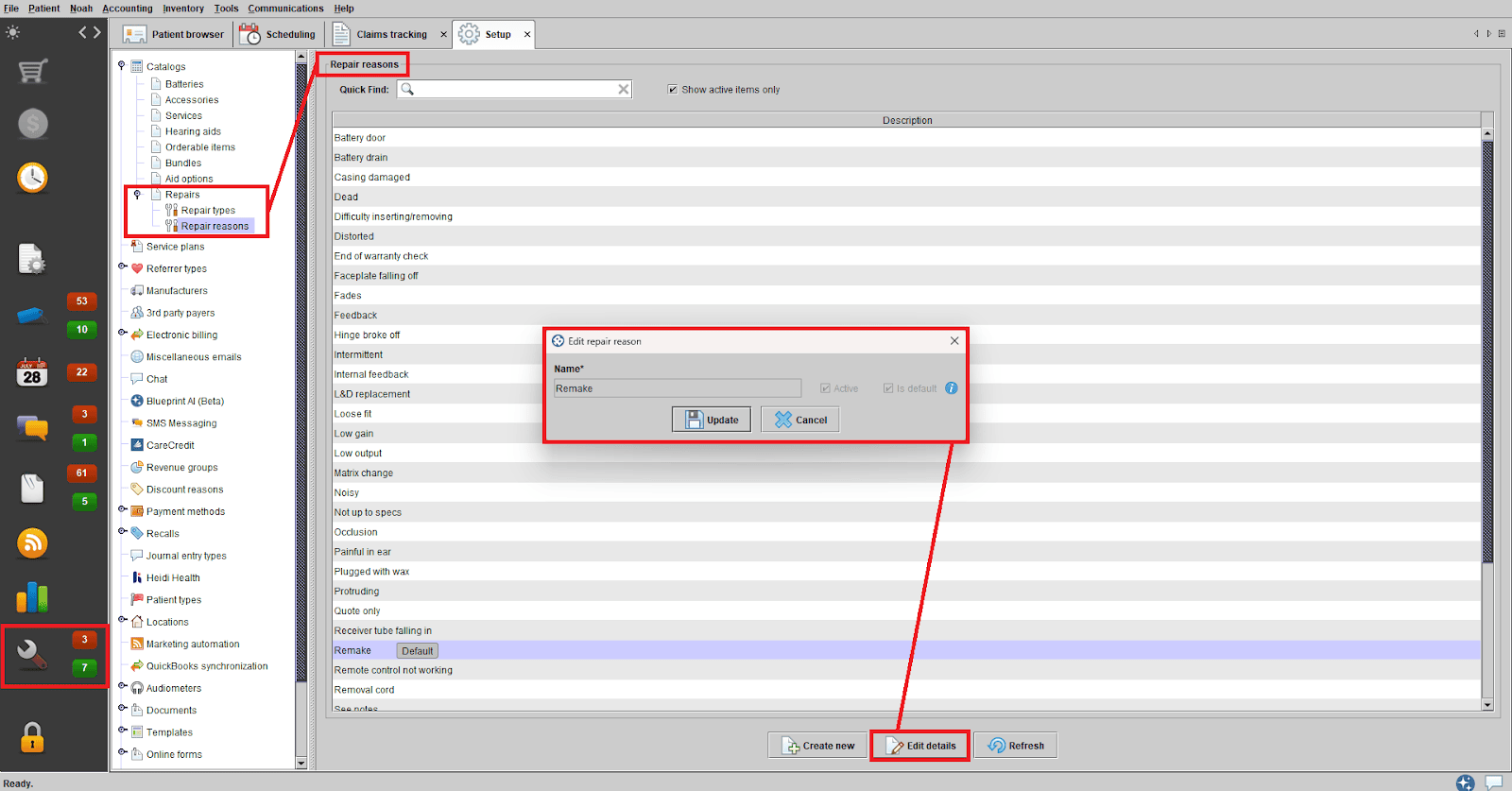
1. Customizable Repair Reasons Now Available
We’re pleased to introduce configurable repair reasons, giving clinics the flexibility to define and manage the repair categories most relevant to their workflow. This enhancement streamlines repair tracking and supports more efficient clinic operations. (Clinics will also notice that the Pricing and 3rd Party Payer Coverage menu option has been renamed to Catalogs.)
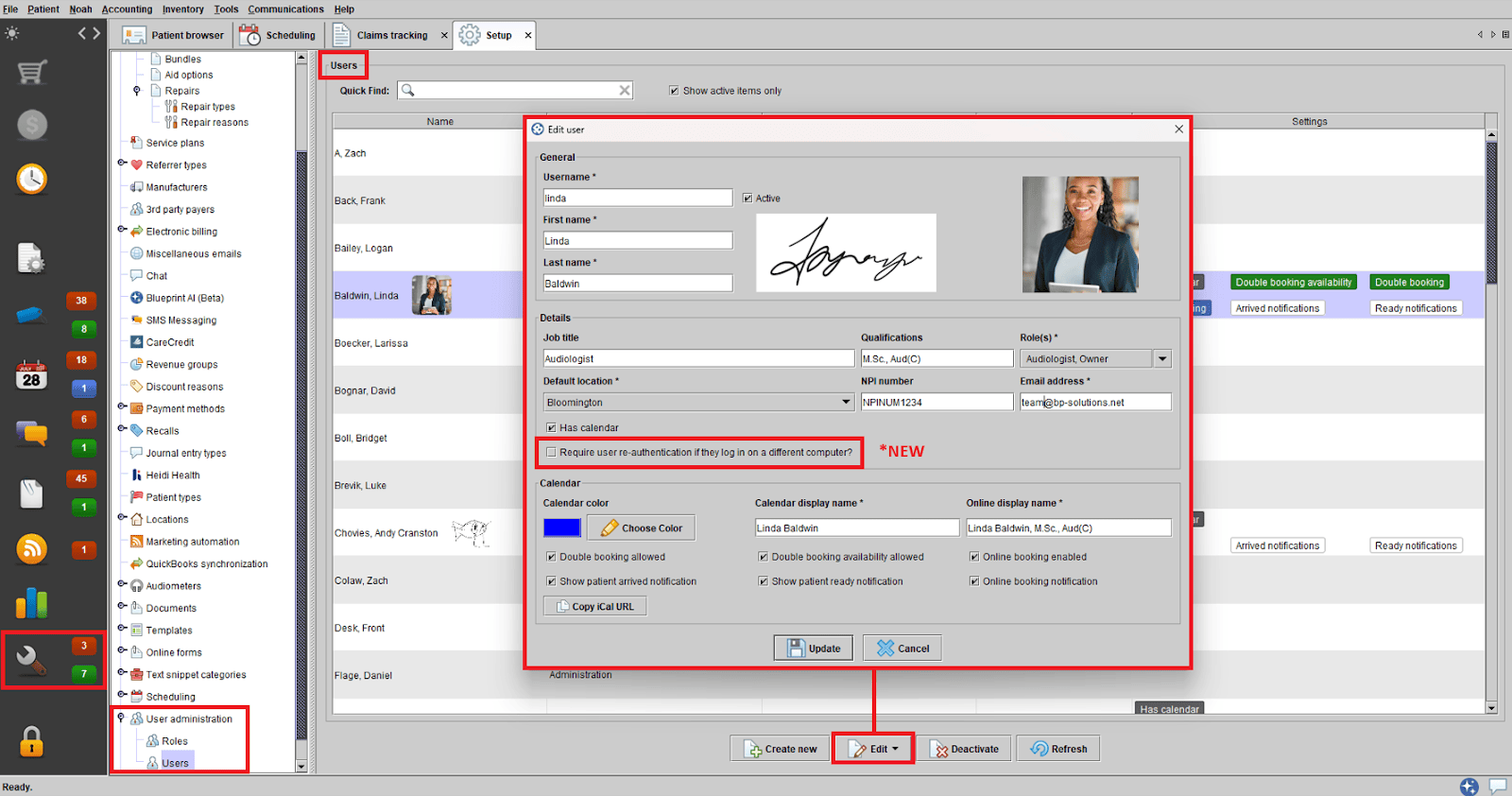
2. Enhanced User Security with Configurable Re-Authentication
Blueprint OMS now offers improved user security through customizable re-authentication settings. Clinics can now configure, at the user level, whether a new login session for the same user on a different device should require user password re-entry – adding an extra layer of protection tailored to your clinic’s needs.
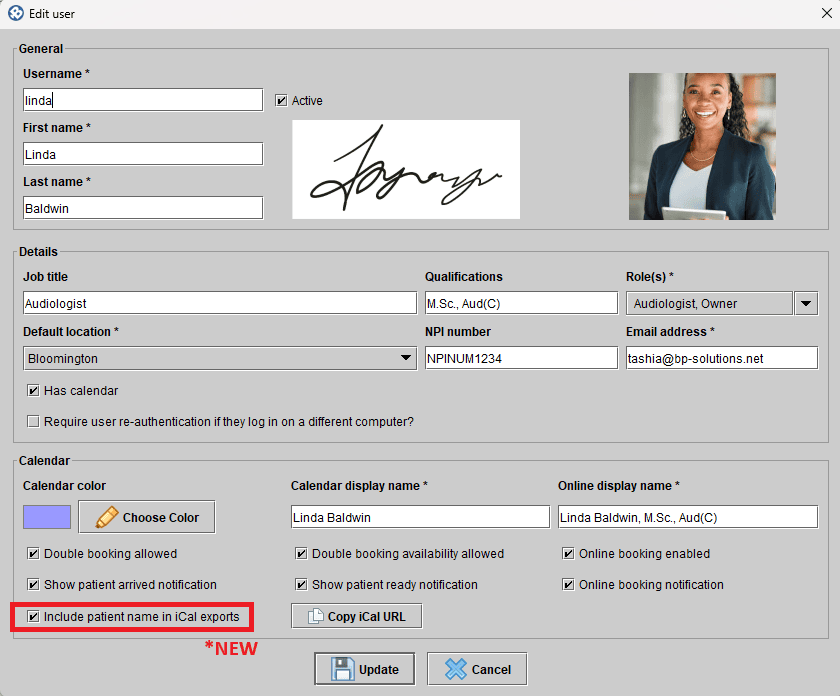
3. Option to Redact Protected Health Information for iCal Export on Provider’s Calendars
Clinics can now control whether patient names are included when exporting provider calendars to an iCal file for use in other calendar applications. A new “Include patient name in iCal exports” setting has been added to the USERS function.
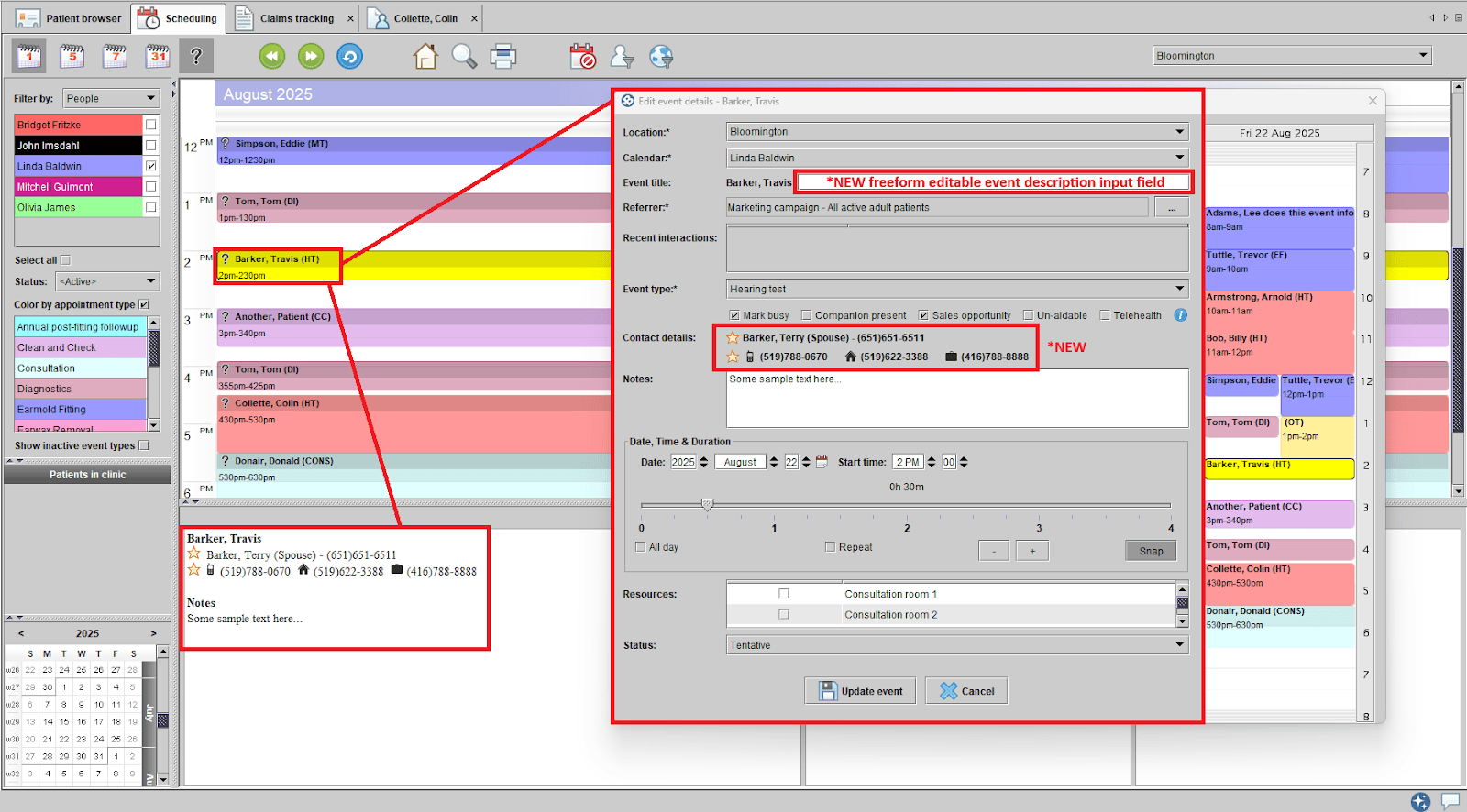
4. Custom Event Title Descriptions for Appointments
You can now add a custom event title description to appointment and event details in Blueprint OMS. This description will appear on the scheduler as part of the event label. It will also be included in various appointment-related reports—making it easier to identify and manage appointments at a glance.
The event details screen has also been improved to clearly identify contact details with preferred numbers prioritized visually. When clicking on an appointment within the schedule, this same newly improved patient contact information appears in the appointment preview panel in the lower left.
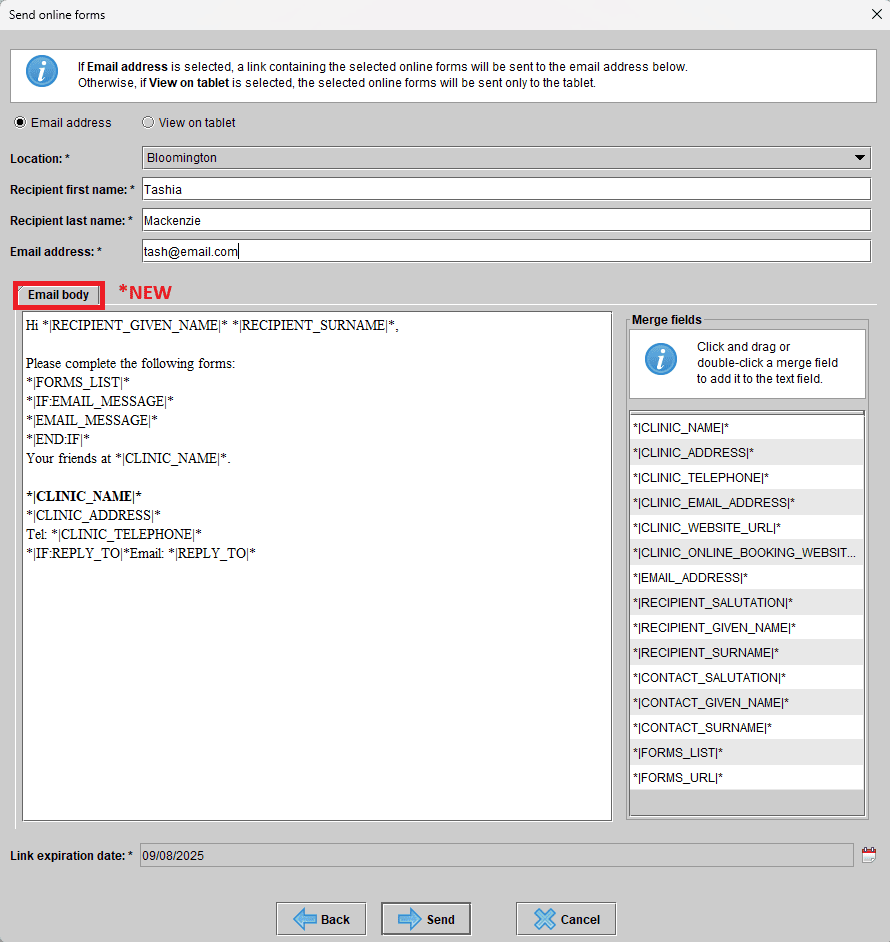
5. Customizable Email Body for Sending Online Forms
Clinics can now personalize the email body when sending online forms through Blueprint OMS. The email content is fully editable, and merge fields are available to dynamically insert clinic or patient details – making communication more tailored and efficient.
6. Expanded Color Customization for Calendars
Clinics now have access to an extended range of color options, allowing for greater customization of event types, resources, and user calendar views in Blueprint OMS. Enhanced color customization makes it easier to organize schedules and improve workflow clarity visually.

7. New UI Theme Options and Improved MacOS Compatibility
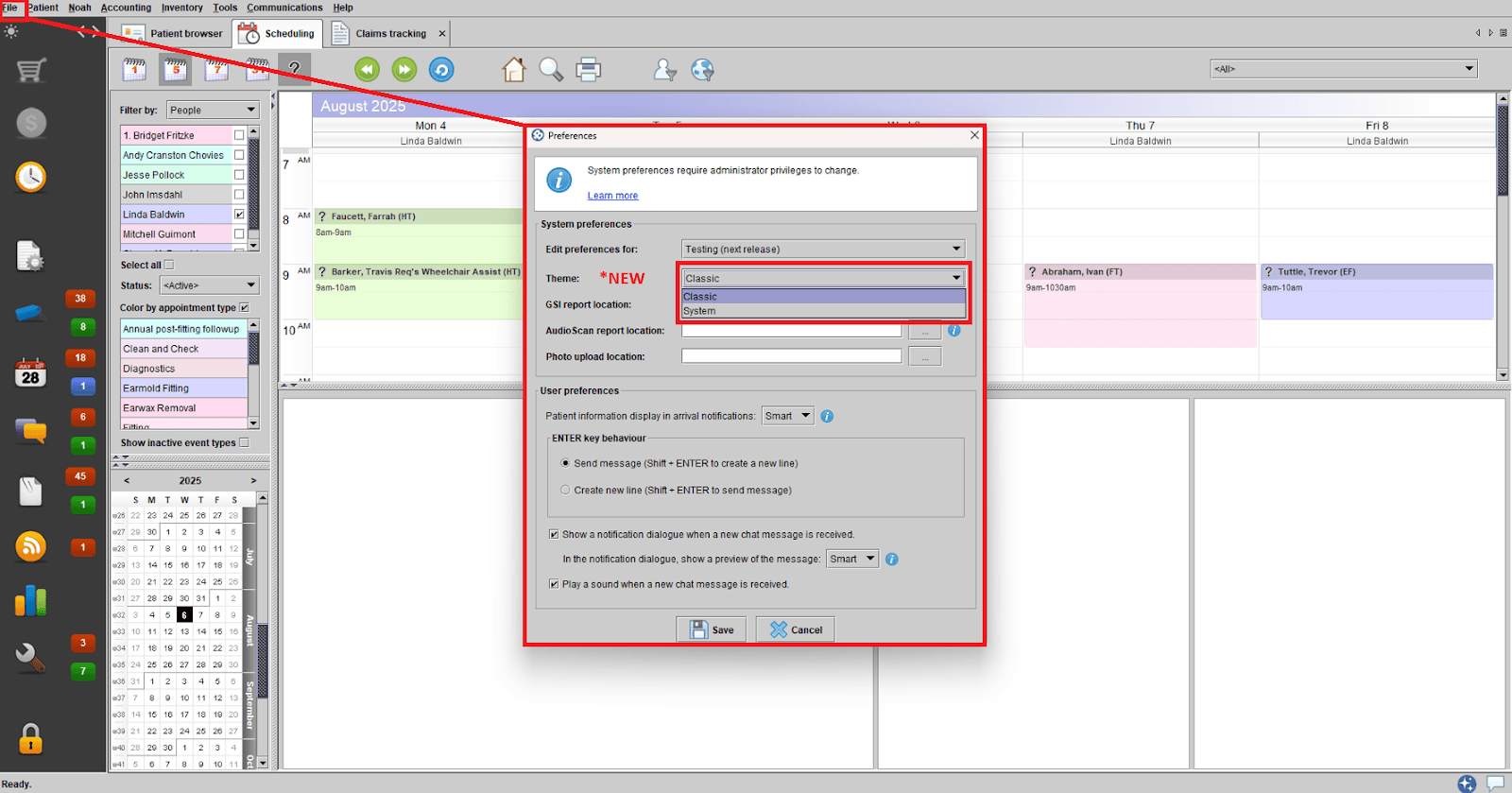
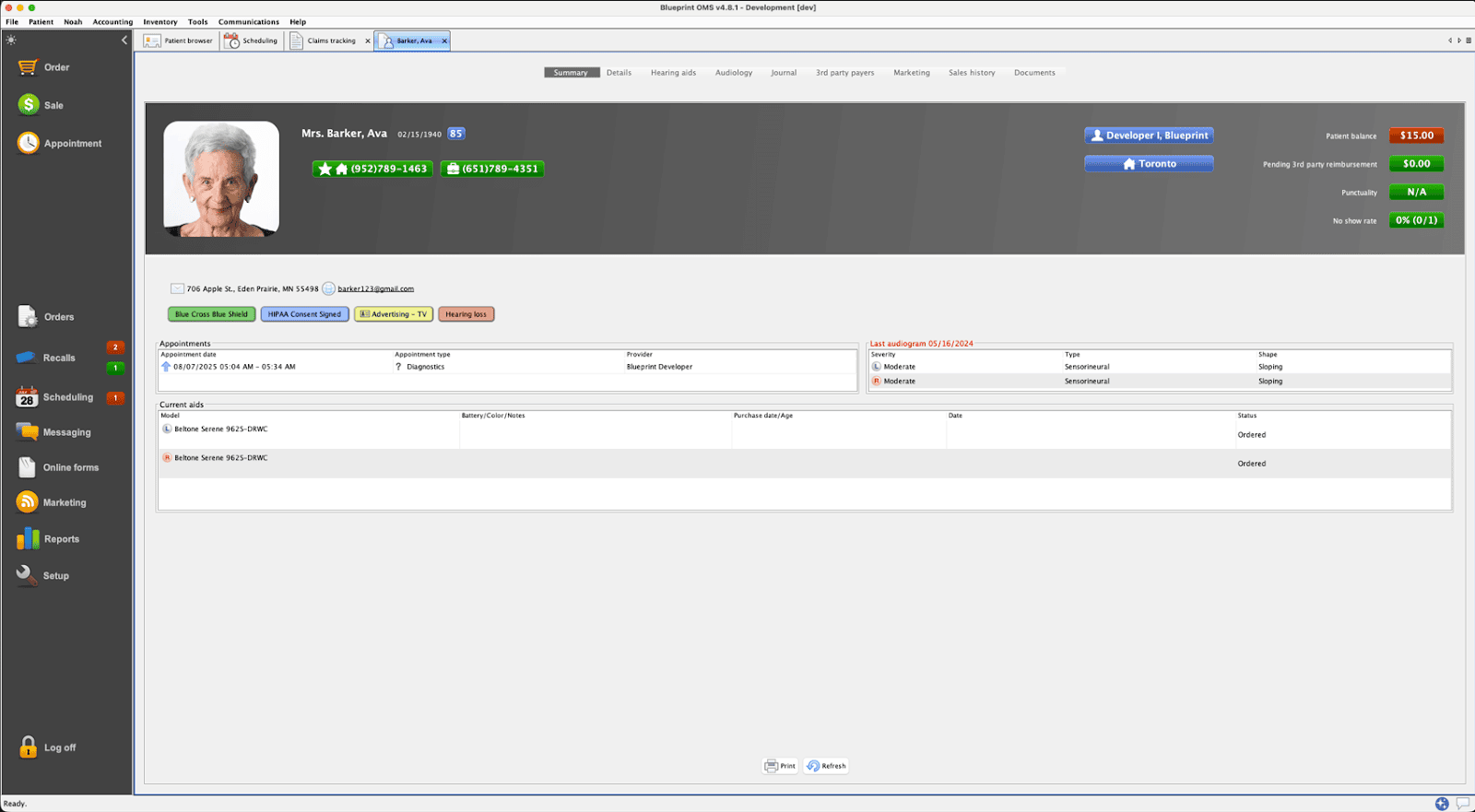
Users can now personalize their experience in Blueprint OMS by choosing between the familiar CLASSIC theme and the new SYSTEM theme, which introduces a modernized look and feel to the interface.
Clinics using MacOS will also now benefit from enhanced UI stability, and the application will now leverage native MacOS file explorer and print dialog windows for a more seamless user experience.
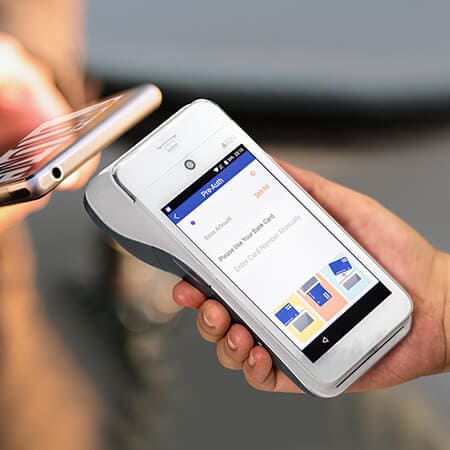
8. More than 1 tap-to-pay terminal allowed per location (US customers only)
—
Have questions about these features? Our support team is always ready to assist! Get started by visiting our Help Center.
Related Articles

A Thanksgiving gift from Blueprint OMS 🦃🍂

Happy Thanksgiving from the Blueprint Solutions team! As the holiday season approaches, we want to thank you for...
Read More
No comments